
A$130.99
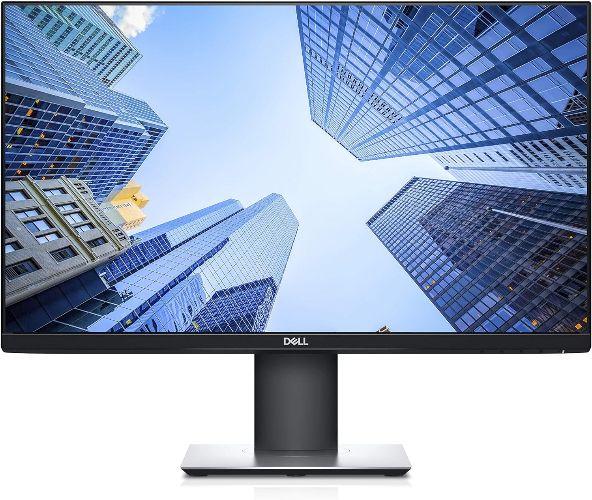
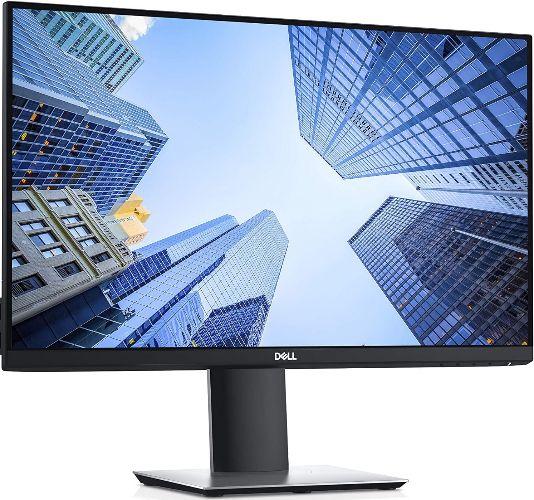
Dell P2419H Monitor 24"
Black - 24 Inch


FREE Delivery Nov 17
Dell P2419H Monitor 24"
Black - 24 Inch
A$130.99
FREE Delivery Nov 17
Condition
Body: Minor signs of wear
Performance: Experty tested and guaranteed to work
Trade in
- Ship for Free
- Data Wiped
- Get Paid Fast
- Return your device for a replacement or servicing for any reason
- Support for cracked screens, liquid spills and battery faults included
- Mail-in and walk-in service options available in Australia
By buying, you agree to the T&Cs and confirm you fit within the Target Market. View
Comes with:
Charging cable
Power adapter
Professionally refurbished and shipped by
- Model Name
- Dell P2419H Monitor 24" Inch
- Display diagonal
- 61 cm (24"")
- Display resolution
- 1920 x 1080 pixels
- HD type
- Full HD
- Native aspect ratio
- 16:9
- Display technology
- LCD
- Panel type
- IPS
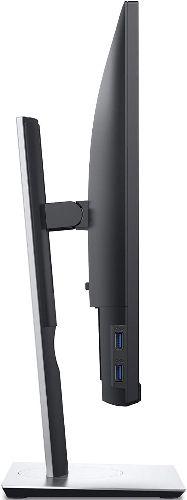
- Built-in USB hub
- Yes
- USB upstream port type
- USB Type-B
- Number of upstream ports
- 1
- USB Type-A downstream ports quantity
- 4
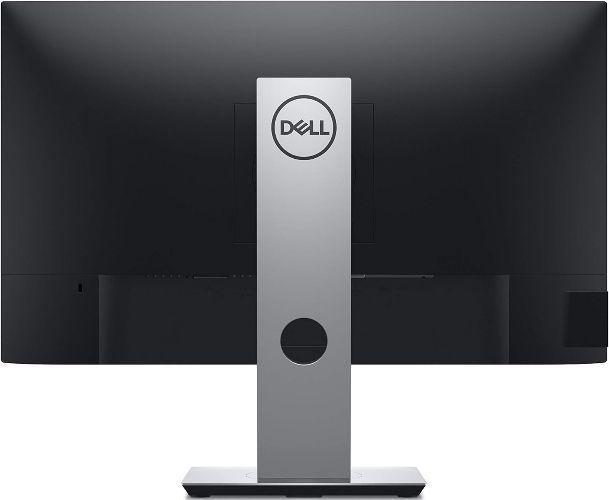
- VGA (D-Sub) ports quantity
- 1
- HDMI
- Yes
- HDMI ports quantity
- 1
- HDMI version
- 1.4
- DisplayPorts quantity
- 1
- DisplayPort version
- 1.2
- AC input voltage
- 100 - 240 V
- Power consumption (max)
- 42 W
- Dimension with Stand
- Width 537.8 mm x Depth 166 mm x Height 486.1 mm
- Dimension without Stand
- Width 537.8 mm x Depth 42.8 mm x Height 322.2 mm
- Weight with Stand
- 4.93 kg
- Weight without Stand
- 3.26 kg
Dell P2419H Monitor 24"
Black - 24 Inch
A$130.99
FREE Delivery Nov 17
Product Description
OVERVIEW:
The Dell 24 Monitor (P2419H) has much to recommend it as a business monitor. Connectivity is facilitated by a plethora of ports in the DisplayPort, HDMI, USB, and VGA families. Although its color accuracy isn't as good as what we saw on the midsize ViewSonic VP2468, and it lacks some of the color calibration settings of that Editors' Choice-winning mainstream monitor, the P2419H is well worth considering as a general-purpose business display.
KEY FEATURES:
More room to work: With a thin profile and the smallest monitor base in its class, you can free up valuable desk space.
Expand your efficiency: The three-sided ultrathin bezel design lets you enjoy an uninterrupted view of your content across multiple monitors. And, with dual monitors, you can increase your productivity by up to 18%.
More ways to multitask: Work conveniently across multiple screens and select from predefined templates with the Easy Arrange feature on Dell Display Manager software. Quickly tile and arrange your applications and get back to work faster with Auto-restore, a feature that remembers where you left off.
Consistent and rich colors: A wide viewing angle enabled by In-Plane Switching (IPS) technology lets you see vibrant colors—no matter where you sit
 1920 x 1080 pixels
Premium Refurbished.
Trusted Quality.
4.7out of /5
based on 70,000 reviews
Trustpilot

Save up to 70%
12 Months Warranty
Quality Tested by Experts
Risk-free 30-Day Trial
Save up to 90% CO2 vs new
 English


© Reebelo Australia | ABN 52 641 662 197 | GST Registered
Free Shipping to Australia30-Day Returns in Australia
100% Secure Payments


